
Speak in your dialect, and let the assistant write it down
Tap the microphone and make your request as you would to a colleague. Your words appear in the message box as text. Review and send them, and Orchestra writes the reply.
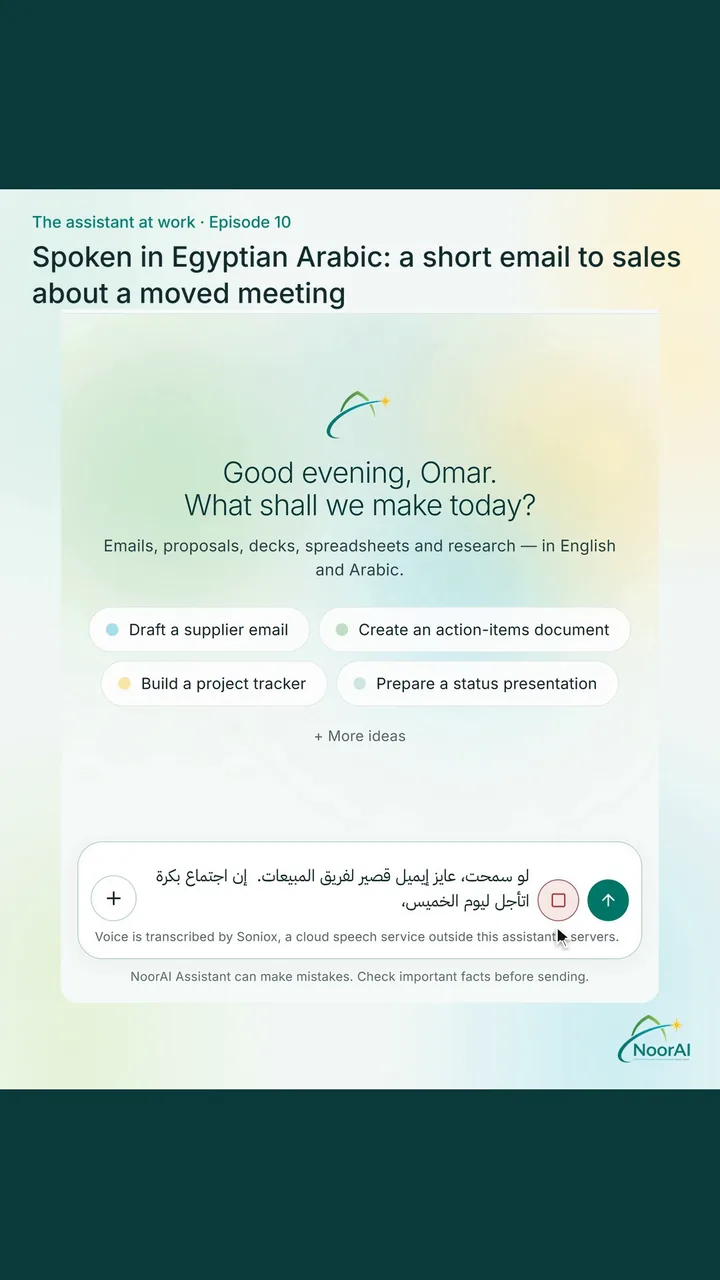
Half a minute in a demo environment. The voice is synthetic; the transcription and the reply are real.
An example from the clip
In the clip, a demo user speaks in Egyptian Arabic and asks for a short email to the sales team, saying tomorrow's meeting has been moved to Thursday at ten in the morning. The assistant transcribes his words as spoken, then provides a short email in formal Arabic with the new time: Thursday at 10:00 a.m.
The voice in the clip is synthetic. The transcription and reply are real and shown as they appeared. The environment is a demo.
How it works today
- Speech becomes text: a specialised cloud service handles this today, outside the assistant's servers.
- The text reaches Orchestra: the model receives the written text and uses it to write a reply.
- The reply is written: the assistant responds in text, not speech.
Voice and keeping data within the organisation
We are clear about this because our main promise is that the model runs on your servers: today, voice is the only part sent to a cloud service. So:
- Whenever the microphone is used, a notice appears below the message box stating that speech is transcribed by a cloud service.
- The feature remains off until the system administrator enables it, and they can turn it off at any time. When it is off, the microphone is not shown.
- In an air-gapped deployment, this service is unavailable, and the assistant remains fully usable through typing.
Common questions
Can it understand dialects?
In the clip, the Egyptian request was transcribed as spoken. To judge for yourself, try it in a live demo with recordings from your own team.
Can you use the assistant without voice?
Yes. Voice is optional. You can do everything the assistant does by typing.
Written by Orchestra