
Orchestra understands the image and answers questions about it
Attach a receipt, invoice, table or form image, then ask about it in Arabic or English. Orchestra reads the image and responds without sending it to an outside reading service.
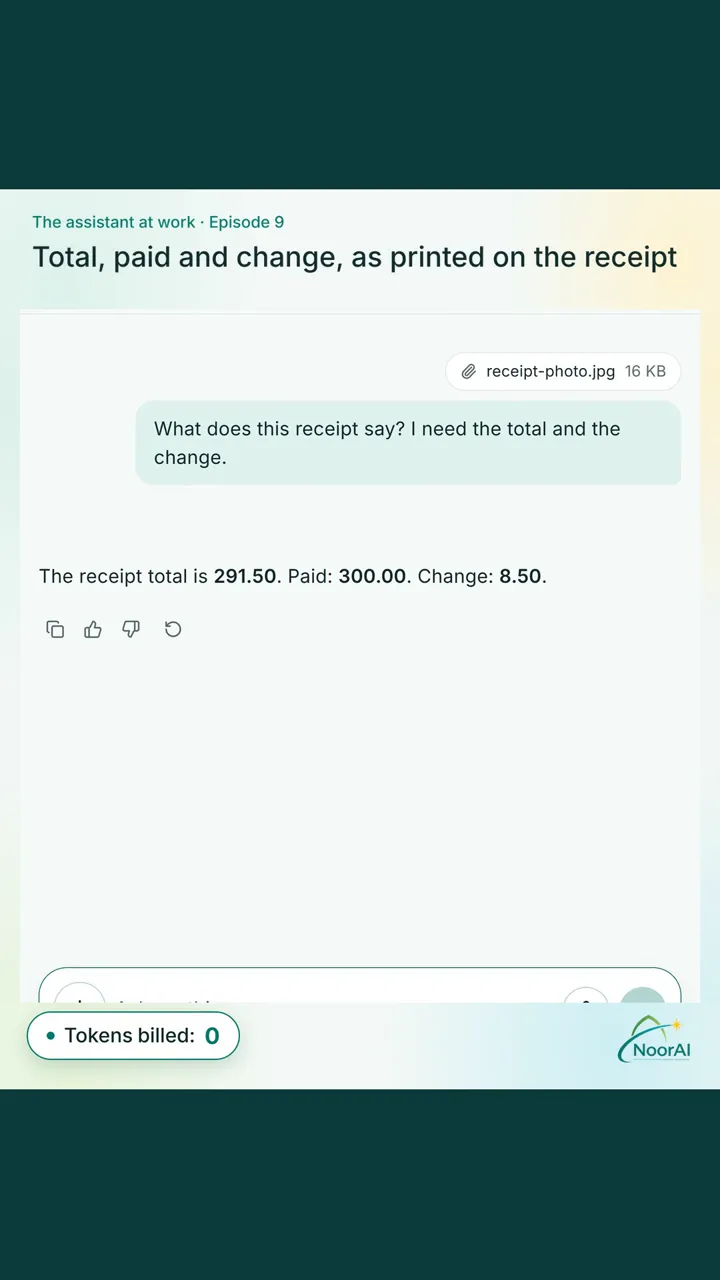
Half a minute in a demo environment; the reply is shown as the assistant wrote it.
What it can read today
- Arabic and English text, even when both languages appear on the same page.
- Receipts and invoices: the total, amount paid, change, date and receipt number.
- Tables and forms: it answers questions about a table and extracts form fields.
- Graphs and signs.
A sample from the clip
In the clip, a demo user uploads an image of a pharmacy receipt and asks for the total and the change. The assistant replies that the total is EGP 291.50, the amount paid is 300.00, and the change is 8.50. These figures match the ones printed on the receipt. The receipt is a sample document, and the environment is a demo.
What we tested
In November 2026, we tested Orchestra using 36 images of 17 sample documents in Arabic and English. Each image had a known answer. It read 31 images correctly.
| Image category | Read accurately |
|---|---|
| Clear image | 15 / 16 |
| Photo taken with a phone | 5 / 6 |
| Low-quality image | 4 / 4 |
| Scanned image | 6 / 9 |
NoorAI measurement on sample documents, November 2026. The thirty-sixth image was deliberately unreadable, and Orchestra said so rather than making up text.
Its current limits
- The five mistakes were silent: the answers looked confident but were wrong. In a scanned contract with small print, it changed words. In a scanned amount, it read the decimal mark as a thousands separator. In a phone photo of an invoice, it dropped the leading zero from the invoice number.
- Always verify important figures and clauses before relying on them, just as you would check the work of any new colleague.
Where the image is sent
Image reading is built into Orchestra, not added as a separate service. When Orchestra runs on your servers, the image stays there, just like the text. See the Orchestra page and the security page.
Written by Orchestra